GitHub improves pull request Overview page in public preview
GitHub has updated the pull request Overview page preview with clearer merge status, a more explicit readiness summary, and smoother review interactions. The preview remains opt-in, and users can still switch back to the classic overview.
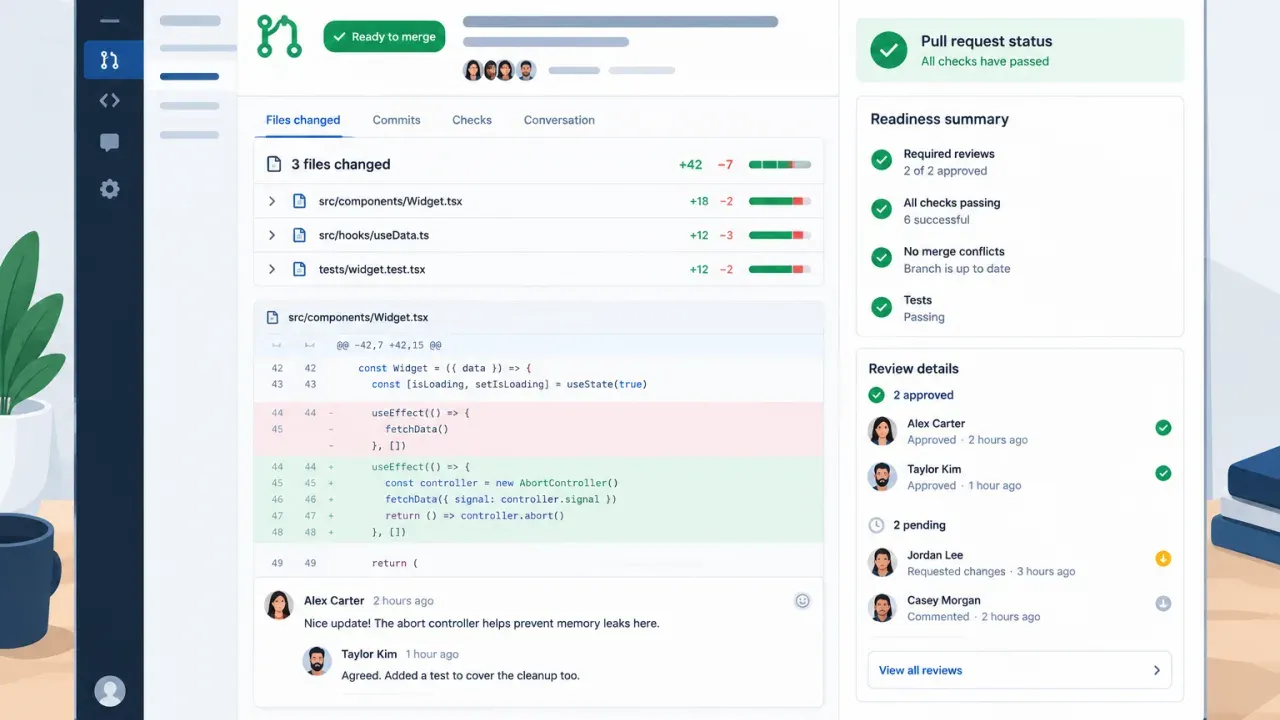
- Failed optional checks no longer make mergeable pull requests look blocked.
- The readiness summary now spells out when no action is needed.
- Checks, approvals and resolved threads now behave more cleanly in the review UI.
- The Overview page preview is still opt-in, and you can switch back to the classic view during the preview.
GitHub has updated the pull request Overview page in public preview, with changes aimed at making merge status and review state easier to read at a glance. The company says failed optional checks no longer make mergeable pull requests appear blocked, and missing merge requirements are now called out more explicitly. GitHub Changelog
What changed
GitHub says the readiness summary now gives reviewers and visitors clearer guidance, including when no action is needed. It also refined the review and comment flow: checks and approvals expand when clicked, resolved threads collapse out of the way, and comments that mention Copilot now show more detail about the action and selected model before submission. GitHub Changelog
| Area | Update |
|---|---|
| Merge status | Failed optional checks no longer block the apparent merge state; missing requirements are shown more clearly. |
| Review workflow | Checks and approvals expand on click; resolved threads collapse; Copilot comment details appear before submission. |
| Availability | The Overview page is still an opt-in public preview. |
Why this matters
For teams reviewing pull requests, the practical change is less ambiguity. A pull request that can merge should look mergeable, even if some optional checks have failed, while missing required items should be easier to spot. That reduces time spent interpreting the page before a reviewer decides whether anything still needs attention. GitHub Changelog
How to try it
GitHub says you can join the preview by selecting the Try the Overview page button in the pull request header. During the preview, the same menu lets you switch back to the classic overview. The company also says the preview is still a starting point, and it is asking for feedback on what is easier to find and where context is still lost. GitHub Changelog
What to watch next
GitHub has not announced a general availability date here. For now, the useful part is the preview itself: teams can compare the new overview with the classic one and decide whether the cleaner merge/readiness cues help their review process before the feature ships more broadly. GitHub Changelog
Merge status
Failed optional checks no longer make mergeable pull requests appear blocked; missing requirements are shown more explicitly.
Readiness summary
Gives reviewers and visitors clearer guidance, including when no action is needed.
Review interactions
Checks and approvals expand on click; resolved threads collapse; Copilot comment details appear before submission.