GitHub Desktop 3.7.0 now supports multiple accounts per host
GitHub Desktop 3.7.0 lets you sign in with more than one account on the same host, including GitHub.com, GitHub Enterprise Server and GHE.com, and keeps repository-to-account mapping so clone, publish and Git actions use the right credentials automatically.
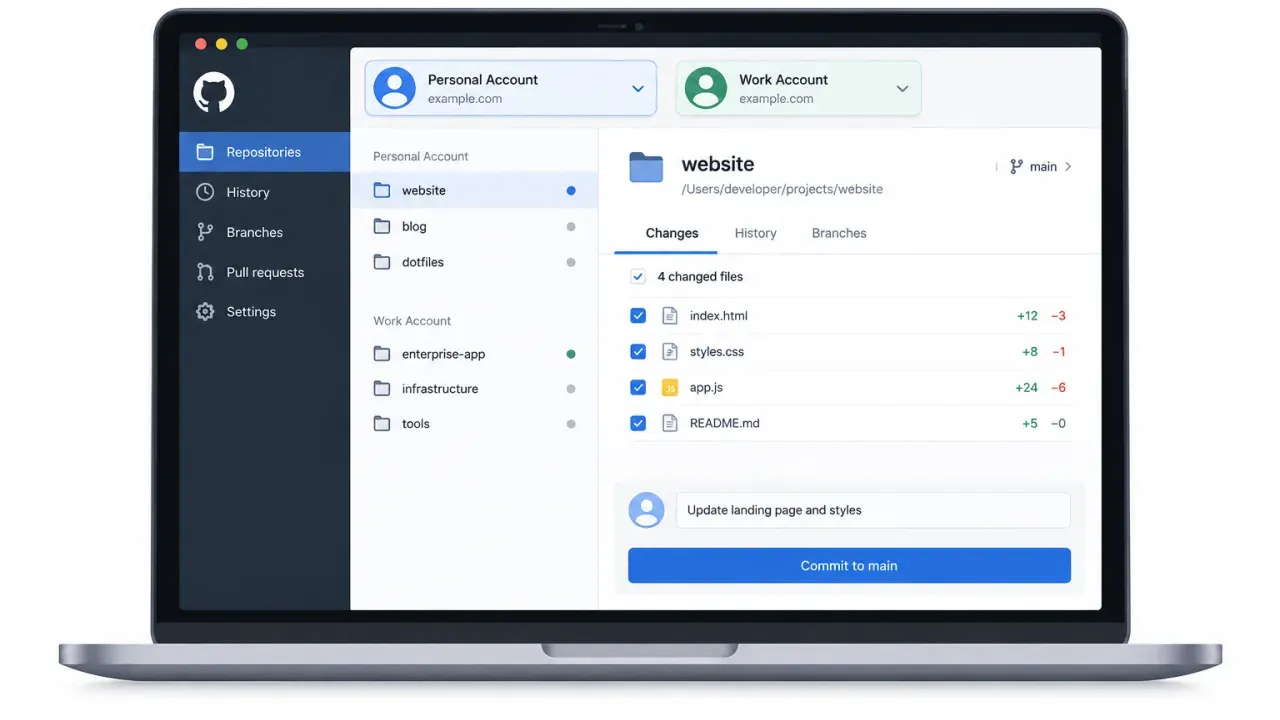
- GitHub Desktop now supports more than one signed-in account per host, with no fixed limit.
- The app ties each repository to a specific account so clone, publish and Git operations use the correct credentials automatically.
- Existing repositories migrate to the account already in use, so single-account setups do not need changes.
- The feature is available in GitHub Desktop 3.7.0 and can be managed from Settings/Options > Accounts.
GitHub Desktop 3.7.0 adds multiple accounts per host
GitHub has released GitHub Desktop 3.7.0 with support for more than one signed-in account on the same host. That applies to GitHub.com, GitHub Enterprise Server and GHE.com, and GitHub says there is no fixed limit on the number of accounts you can add for a host. GitHub Changelog
The practical change is that Desktop can now keep a repository tied to a specific account. GitHub says that clone, publish and Git operations will use the right credentials automatically. You can choose an account when adding or cloning a repository that multiple signed-in accounts can access, or let Desktop infer it when only one account can access the repo. You can also change the repository’s account association later from repository settings or the repository list’s context menu. GitHub Changelog
Why it matters
For developers who move between personal and work identities, the old single-account-per-host model forced awkward workarounds. The new release removes that constraint inside Desktop itself, while preserving per-repository identity. That should reduce the chance of using the wrong account when cloning a project, publishing a repository, or running Git actions from the app. GitHub Changelog
What changes for existing users
GitHub says existing repositories are migrated automatically to the account you were already using, so if you only have one account per host, nothing changes. To start using the feature, install GitHub Desktop 3.7.0, then open Settings/Options > Accounts to add another account. From there, use the new account picker when cloning, publishing or reviewing a repository’s settings. GitHub Changelog
Practical comparison
| Scenario | Before 3.7.0 | In 3.7.0 |
|---|---|---|
| Multiple accounts on one host | Not supported | Supported, with no fixed limit |
| Repository credential handling | Single account per host could force manual workarounds | Each repository can be associated with a specific account automatically |
| Existing single-account setup | No special migration | Automatically mapped to the current account |
What to watch next
GitHub’s announcement points to its authentication documentation for the setup details, but the release note itself does not add extra rollout caveats. The main confirmed change is the new account picker and per-repository association model in Desktop 3.7.0. GitHub Changelog
Multiple accounts per host
Before 3.7.0: not supported. In 3.7.0: supported for GitHub.com, GitHub Enterprise Server and GHE.com, with no fixed limit.
Repository-to-account association
Before 3.7.0: users could not rely on a per-repository account model. In 3.7.0: each repository can be associated with a specific account so clone, publish and Git operations use the right credentials automatically.
Existing repositories
Before 3.7.0: no automatic migration described in the release note. In 3.7.0: existing repositories migrate automatically to the account already in use.